Technical specifications
ImageWell: Technical specifications of print documentation.
Please make sure that your print specifications comply with these simple format-related recommendations at all times.
Each deficiency in printing graphics causes delays in the production plan and delivery dates as well as higher costs following from repairs and modifications in print specifications.
Important:
General format and size-related recommendations:
CITYLIGHTS (and/or similar formats up to approx. 120 x 180 cm)
BILLBOARD, BANNER (or visual media covering more than 3 sq m)
Specific recommendations regarding the quality and format of graphic print specifications:
1) Enclose prepress proof
2) Do not use RGB or direct colours but CMYK (does not apply to “Fine art” print and www.xlposter.eu)
3) Convert all texts and logos to curves
4) Use correct black colour setting
5) Save final documents merged in one layer
6) Delete data exceeding the visible part of the documents/image
7) Do not save colour profiles in the graphic specifications
8) Use closed file formats such as PDF, EPS., AI, TIFF
9) Always merge layer transparencies in the print specifications
General recommendation regarding the format and size:
CITYLIGHTS (and/or similar formats up to approx. 120 x 180 cm)
• Send files in their natural open format from any commonly used software. For the best results we recommend you use PDF format.
• Create your file with resolution of 400 dpi and scale of 1:7.5 of final image size. (offset and screen printing).
• If the image is to be printed by digital technology, your file should have 72-100 dpi in its final size.
• We recommend enclosing PDF or JPG image preview, so all details are clear.
• Please ensure that all substantial graphic elements (text, logo, etc…) are at least 5 cm away from the side margin in order to prevent potential overlaps upon installation into frames.
BILLBOARD, BANNER (and/or visual media covering more than 3 sq m)
• Send files in their natural open format from any commonly used software. For the best results we recommend you use PDF format.
• Create your file with resolution of 300 dpi and scale of 1:10 of final image size. The resolution may be lower in case of visual media bigger than 20 sq m.
• Please ensure that the following distance of substantial graphic elements (text, logo, etc…) from the side margin is complied with in order to prevent potential overlaps upon installation into frames.
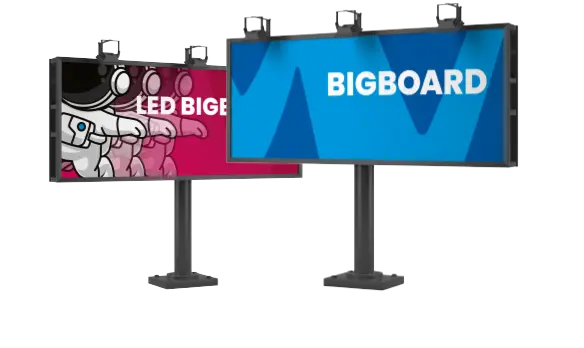
Billboard 5.04x2.38m: 20cm, Big board 9.6x3.6m: 40 cm
Specific recommendations regarding the quality and format of graphic print specifications:
1) Enclose prepress proof
Prepress proof is understood as proof created on a calibrated device or on cromaline / matchprint. In no event can an output from your office printer be viewed as a prepress proof.
Colours are consistent with the enclosed prepress proof or approved during the printing process directly in production. If no prepress proof is available, the print is carried out according to presented specifications without the right to colour customization.
2) Do not use RGB or direct colours but CMYK (does not apply to “Fine art” print and www.xlposter.eu)
If your data are CMYK = we can guarantee to some extent that colours will comply with your specifications even without a prepress proof – according to our technical assessment
If your data are RBG, the defined direct colours, colour quality will be different. Whole colour units can be left out from the image.
3) Convert all texts and logos to curves
If all printing data are saved in curves, everything is ok and we guarantee to print exactly what was delivered. However, if in saving the image the specifications are not converted into curves by a graphic designer, we cannot take responsibility for potential blanks and neither can we guarantee that the font will comply with the delivered specifications.
4) Use correct black colour setting
Black colour setting for digital print is not the same as in, for example, printing newspapers or magazines. Therefore, in your graphic specifications use the following black colour setting: If black is defined at least as 60-60-60-100, black will be black. If black is defined as less than, for instance, 0-0-0-100, similarly to offset, black will be grey and the colour contrast will be lower.
5) Save final documents merged in one layer
When saved by a graphic designer, print specifications must be merged in one layer. If print specifications are saved in one layer we guarantee that there will be no shortages. If print specifications are not merged into one layer it cannot be guaranteed that no graphic elements will be lost, for instance even the whole logo.
6) Delete data exceeding the visible part of the documents/image
No key specification data cannot exceed the visible area of the image and cannot lie outside the image dimensions (c.f. example above). If data do not exceed the visible part, your order can be produced according to the plan. However, if printing data exceed the specified margins, the specifications must either be returned or modified without guarantee to maintain the required colours.
* example to paragraph 6 if data reach outside the image margin
7) Do not save colour profiles in graphic specifications
Do no save a colour profile in the final specifications; colours of the print will thus be consistent with your requirements. If there are profiles in the specifications, there may be slight changes in colour even if a control prepress proof was delivered.
8) Use closed file formats such as PDF, EPS., AI, TIFF
If you deliver formats other than those listed above = it is possible that we will not be able to open your graphic specifications and the colour quality of the printed image cannot be guaranteed either.
9) Always merge layer transparencies in print specifications
It is very important to merge all layer transparencies of your print graphics before saving the final specifications. Maintained transparencies cause serious graphic deficiencies which cannot be eliminated during the production process without interfering with and modifying your specifications.